

Statuses
The “terminal” column matters: tasks in non-terminal statuses still answer to long-polling agents and dashboard refreshes; terminal statuses unblock the agent immediately.
What the agent sees
The SDK’sawait_human() long-polls until the task is terminal, then maps the status to a typed return / exception:
awaitHuman and instanceof checks.
What the dashboard shows
Each status renders with a distinct badge color so an operator scanning the queue sees at a glance which tasks need attention.REJECTED tasks (non-terminal but failed) get a yellow “needs attention” treatment so a reviewer doesn’t think the verifier silently swallowed their submission.
Audit trail
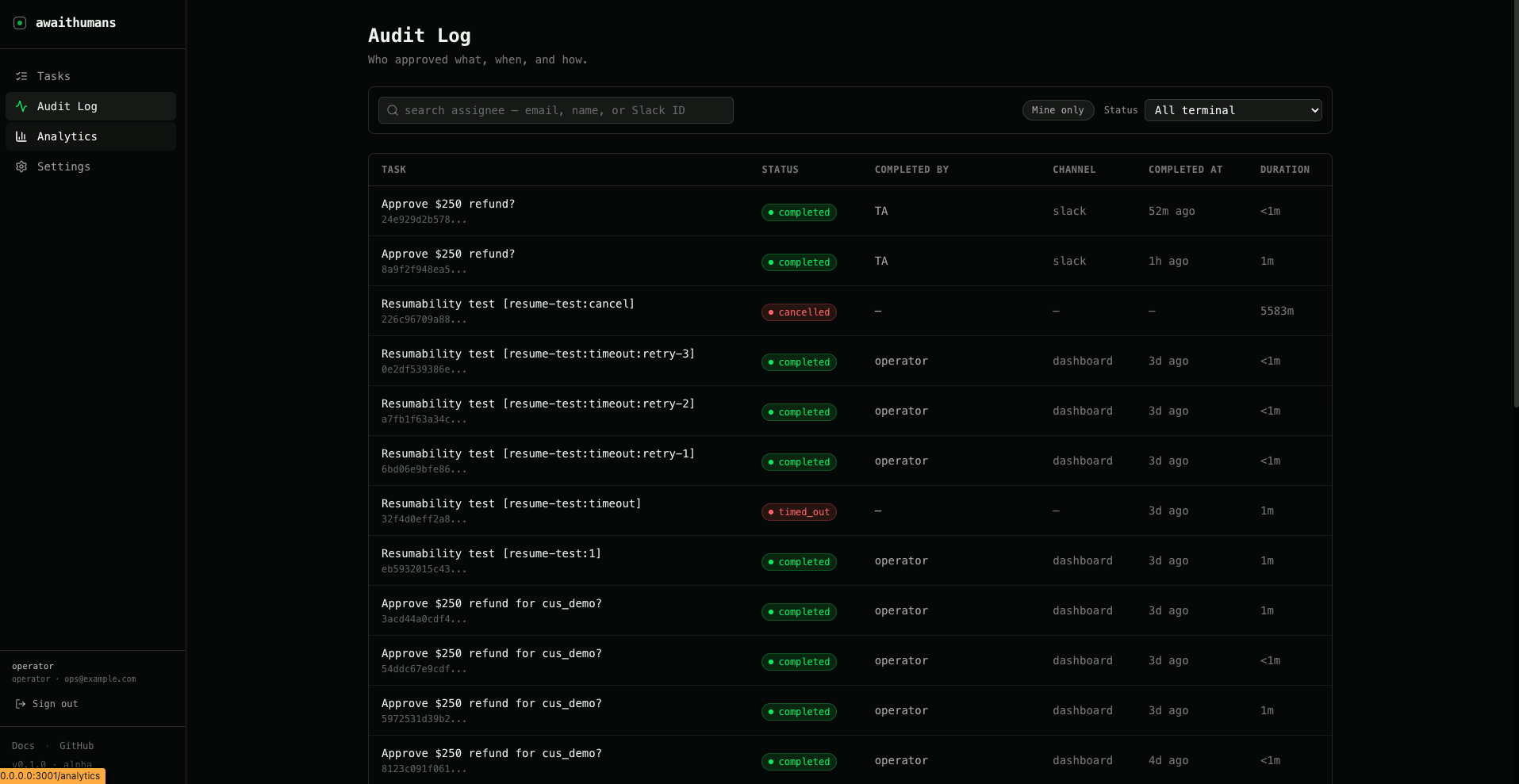
audit_entries with:
from_status→to_statusaction(created,completed,verified,rejected,timed_out,cancelled)actor_type(agent,human,system)actor_email(when human-driven)channel(where the action happened:dashboard,slack,email)extra_data(response keys, verifier reason, etc.)
/task/{id}/audit. Operators use it to debug “what happened to this task” without joining tables.
Why REJECTED is non-terminal
If the verifier rejects an attempt and we marked the task terminal, the human couldn’t fix their answer. Instead, REJECTED keeps the task active, the verifier reason is shown to the reviewer (“notes contradict decision”), and they get another shot. The cycle ends when either:- A submission passes the verifier →
COMPLETED max_attemptsis exhausted →VERIFICATION_EXHAUSTED(terminal)- Timeout fires →
TIMED_OUT(terminal)
await_human() with the same key returns the same outcome rather than starting over. See Idempotency.