

Transport options
Two ways to configure
The server accepts email configuration through either:- Environment variables — picks one default identity, applied to every
notify=["email:..."]entry. Best for single-tenant deployments and quickstart. - Per-identity sender records stored in the DB — each identity has its own transport,
from_email, and credentials. Routed vianotify=["email+<identity>:..."]. Best for multi-tenant deployments or when you need multiple senders from one server.
notify=["email:..."] routes through it automatically (see Solo-identity shortcut).
Quickstart with Resend (env-var path)
1. Get a Resend API key
Sign up at resend.com, create an API key. Either verify a sender domain, or useonboarding@resend.dev (no DNS setup needed) for testing.
2. Set env vars
awaithumans dev.
3. Send
Save asemail_test.py and run with python email_test.py:
RefundDecision.
SMTP — env-var path
Works against any SMTP server. The transport auto-picks SSL vs STARTTLS based on the port (465 → SSL on connect, anything else → STARTTLS upgrade). Override withAWAITHUMANS_SMTP_USE_TLS=true for non-standard ports.
Gmail (port 587, STARTTLS)
Hostinger Mail (port 465, SSL)
from_emailmust matchSMTP_USERexactly. Hostinger rejects mismatched senders even on the same domain.- Outbound mail is rate-limited per mailbox per hour; one test won’t trigger it, a verifier-reject loop might.
- Some plans only enable port 465 OR 587 (not both). Pick whichever the dashboard shows.
AWS SES, Mailgun, etc.
Same flags, swap the host. SES uses SMTP credentials (not your IAM key); Mailgun’s are in their dashboard.Per-identity setup (multi-tenant or named senders)
When you need more than one sender — different teams, different transports per route, or just a cleanacme-prod vs acme-dev distinction — use sender identities.
Each identity has its own from_email, from_name, reply_to, transport, and transport credentials. Stored encrypted at rest (AES-GCM keyed off PAYLOAD_KEY).
Configure via the dashboard
Settings → Email → Identities → Add identity (operator-only). Pick the transport, fill in the credentials, save.Configure via the admin API
id overwrites. Re-run to rotate credentials in place.
Route to a specific identity
Solo-identity shortcut
When the server has noAWAITHUMANS_EMAIL_TRANSPORT set and the dashboard has exactly one sender identity configured, bare notify=["email:..."] routes through that identity. This is what makes the quickstart example honest for operators who set up email through the dashboard instead of env vars.
The shortcut stops applying as soon as you add a second identity — at that point bare email: skips (with a clear log warning) and you must specify email+<id>:.... We don’t pick arbitrarily.
Action buttons vs dashboard link-out
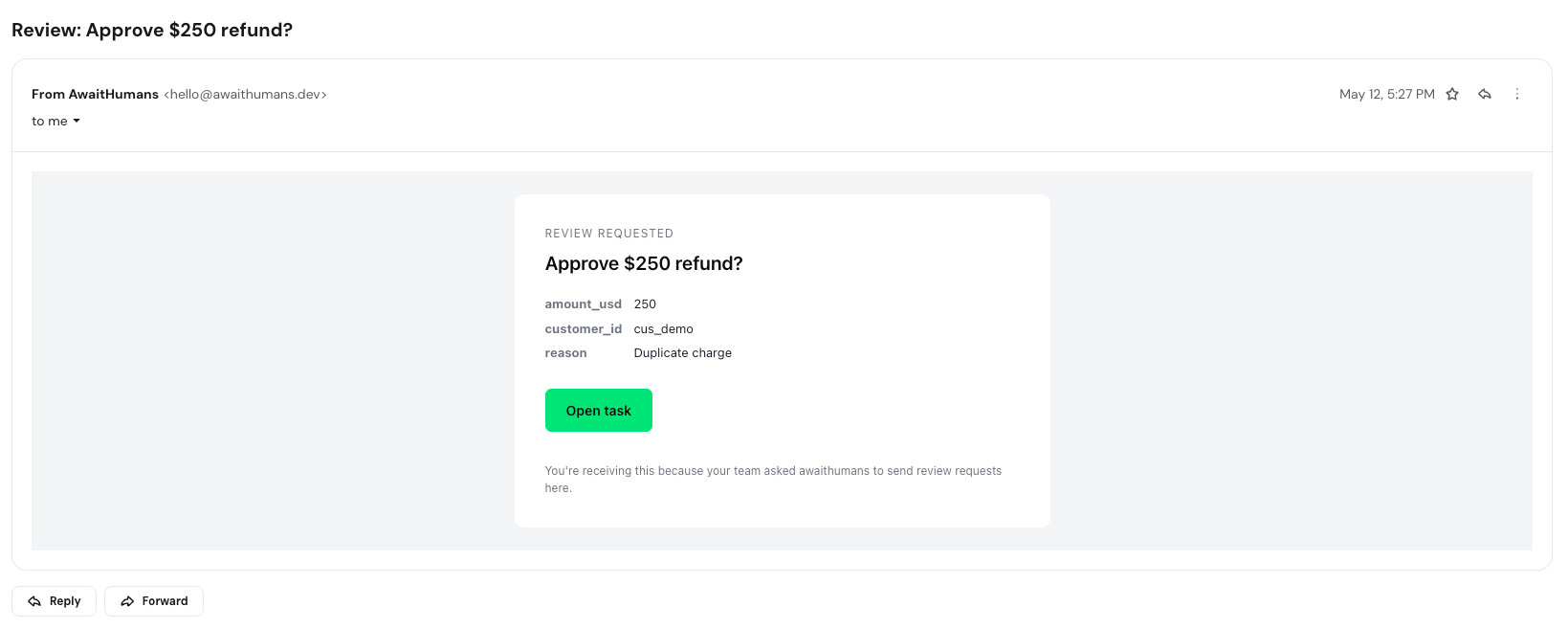
form_definition:
- Single
switchor smallsingle_select(≤4 options) → action buttons render inline: - Anything else (multi-field forms, file uploads, long text) → single “Review in dashboard” link
form_definition describing a single Switch — that’s what extractForm() in the TS SDK produces from z.object({ approved: z.boolean() }). The Python SDK does the equivalent via extract_form() against a Pydantic model.
Magic-link tokens
Action button URLs encode the task ID, field, value, expiry, and a uniquejti (replay protection):
- Is HMAC-signed with a key HKDF-derived from
PAYLOAD_KEY(constant-time compare on verify) - Expires in 24h by default
- Is single-use —
consumed_email_tokenstable records eachjtion first use; replays return 410 Gone
Authorization
Anyone with the magic-link URL can complete the task — the link IS the auth token. So:- Don’t forward task emails. The recipient list is the authorization list.
- For tasks with no specific assignee (
assign_to=None), the email recipient is implicitly the assignee. Audit log recordscompleted_via_channel=emailso you can see this happened.
File transport (dev / testing)
Thefile transport writes one JSON file per email to a configured directory instead of sending. Used by the smoke tests but also useful for manual dev when you want a deterministic record of every email the server would have shipped.
Per-identity:
to, subject, html, text, from_email, from_name, reply_to, tags, plus bookkeeping (_received_at, _message_id). Filename leads with unix-ms so newest sorts last.
Never use this in production.
Runnable examples
The smoke tests run automatically and prove the SDK ↔ server contract. The end-to-end examples prove the integration with a real email provider — you only run those manually before a release.
Resending
If the email is lost (spam folder, address typo, …), the dashboard’s task-detail page has a “Resend email” button. Each resend issues a fresh magic-link token; the old one stays valid until it expires or is consumed.Common gotchas
- No domain verification. Resend / Gmail will silently drop emails from unverified senders. Check your transport’s dashboard for delivery logs.
- Action button URLs not reachable. The awaithumans server must be reachable from the recipient’s mail client. Localhost-only servers can’t be tested with real emails — use the
filetransport, or expose your dev server via ngrok. - Token expired. Default TTL is 24 hours. For long-running review windows, raise via
MAGIC_LINK_MAX_AGE_SECONDSinutils/constants.py(operator override planned post-launch). from_emailmismatch. Most providers reject mail whenfrom_emaildoesn’t match the authenticated mailbox. For SMTP especially, setfrom_emailandSMTP_USERto the same value.- TLS mode wrong for the port. Port 465 is implicit SSL (
use_tls=true); 587 is STARTTLS (start_tls=true). The transport auto-flips based on port; override withAWAITHUMANS_SMTP_USE_TLSif your server uses a non-standard port. - No buttons in the email, just a “Review in dashboard” link. The response schema has more than one input field — that’s the link-out fallback. Either reduce to a single boolean for the button shortcut, or accept that complex forms belong in the dashboard.